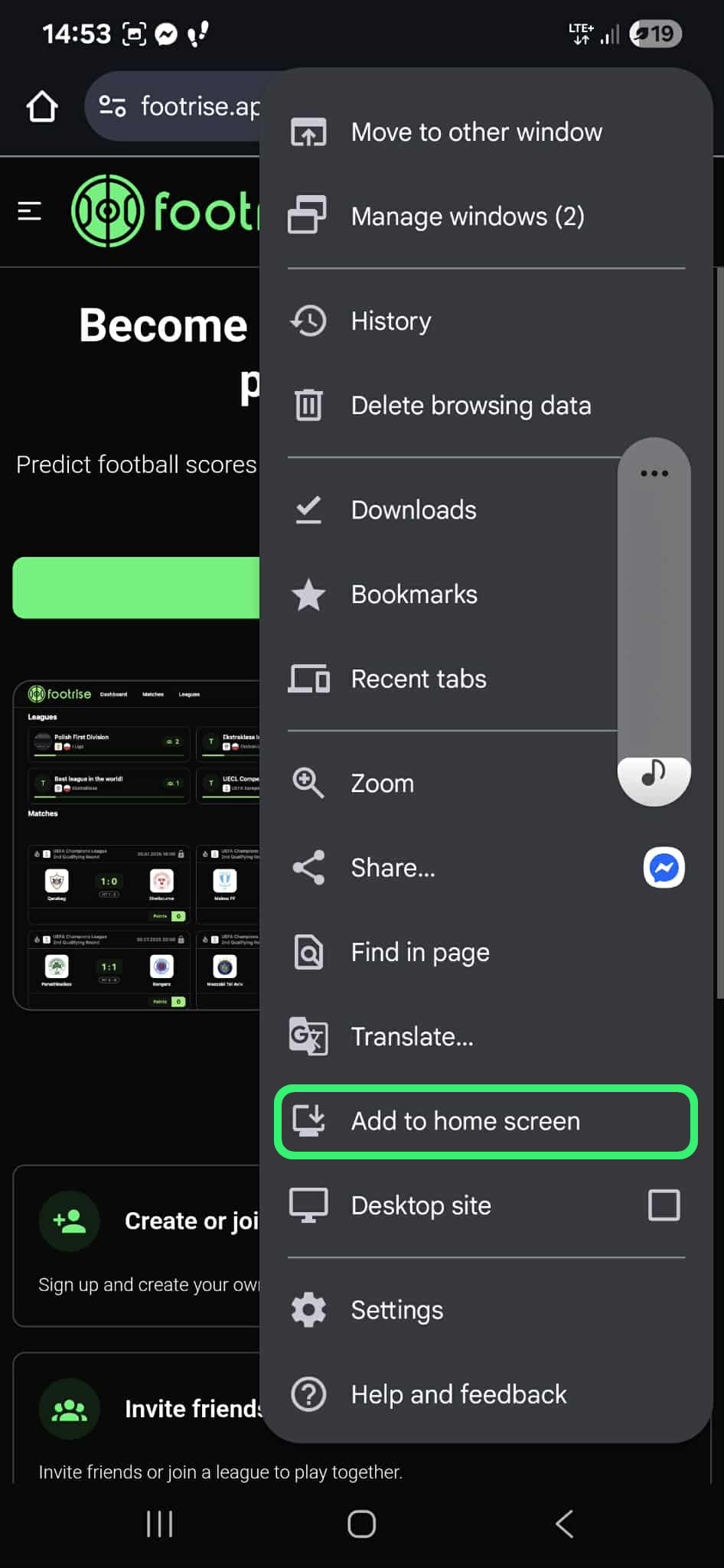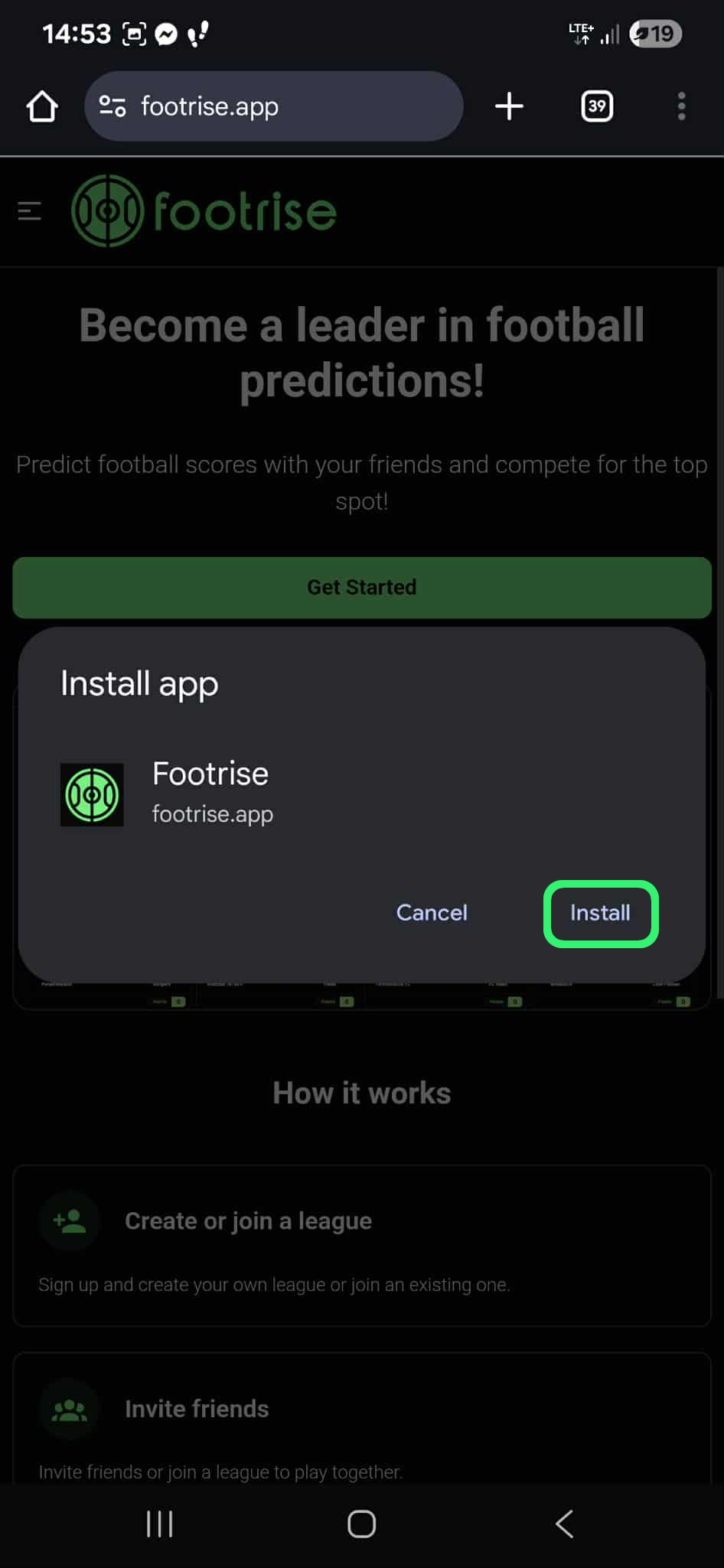
Add Footrise to your home screen

Footrise works as a PWA. You do not need to download it from an app store - just add the website to your home screen to get back to predictions, leagues and standings faster.

Faster access

Open Footrise with one icon, just like a regular app.

Notifications

Keep an eye on missing predictions and finished matches more easily.

Matchday convenience

Check matches, predictions and standings without searching for the website.

Add on iPhone

On iOS, installation works through Safari. After adding the icon, Footrise will appear on your home screen.

Use Safari on iOS - other browsers may not show the option to add the app.
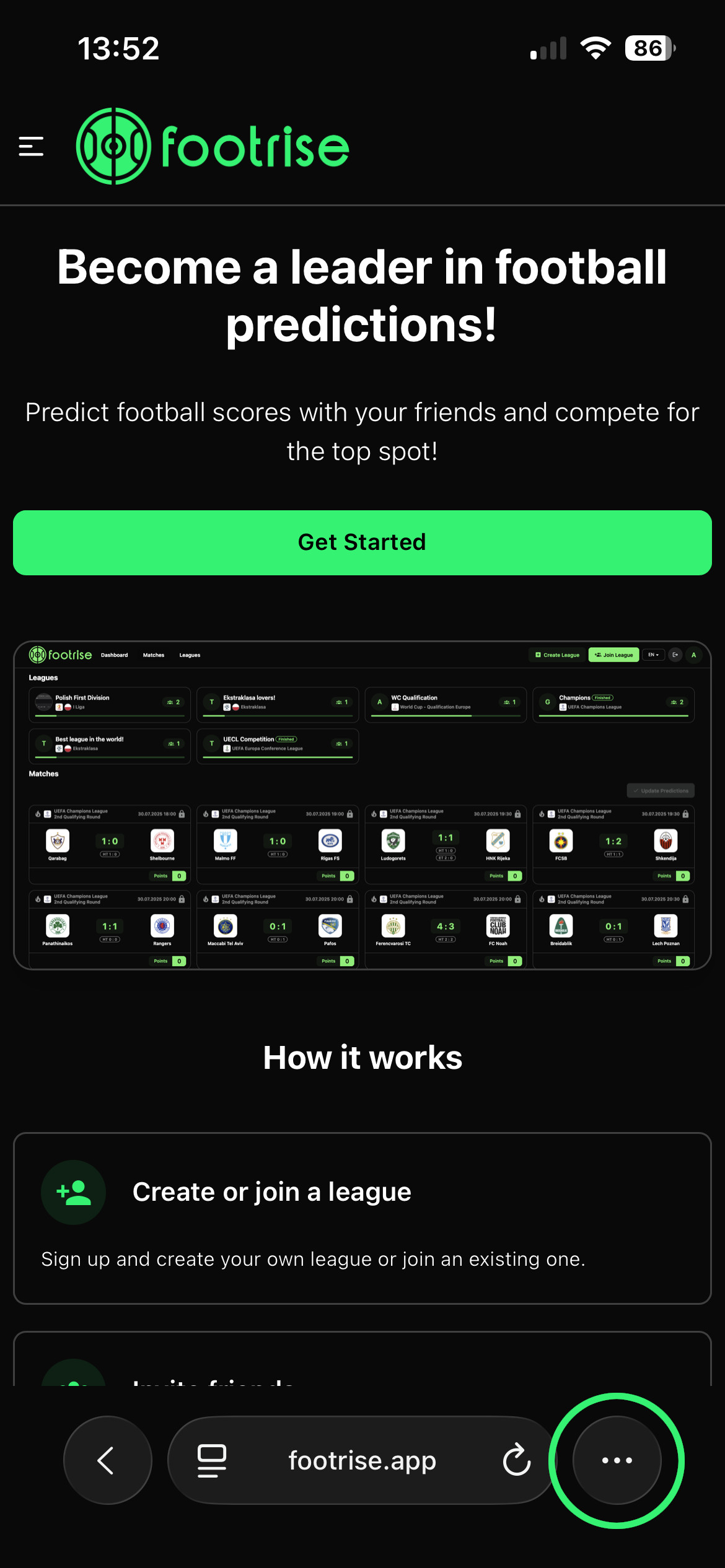
Open Footrise
1Open Footrise

Go to the Footrise website in Safari.
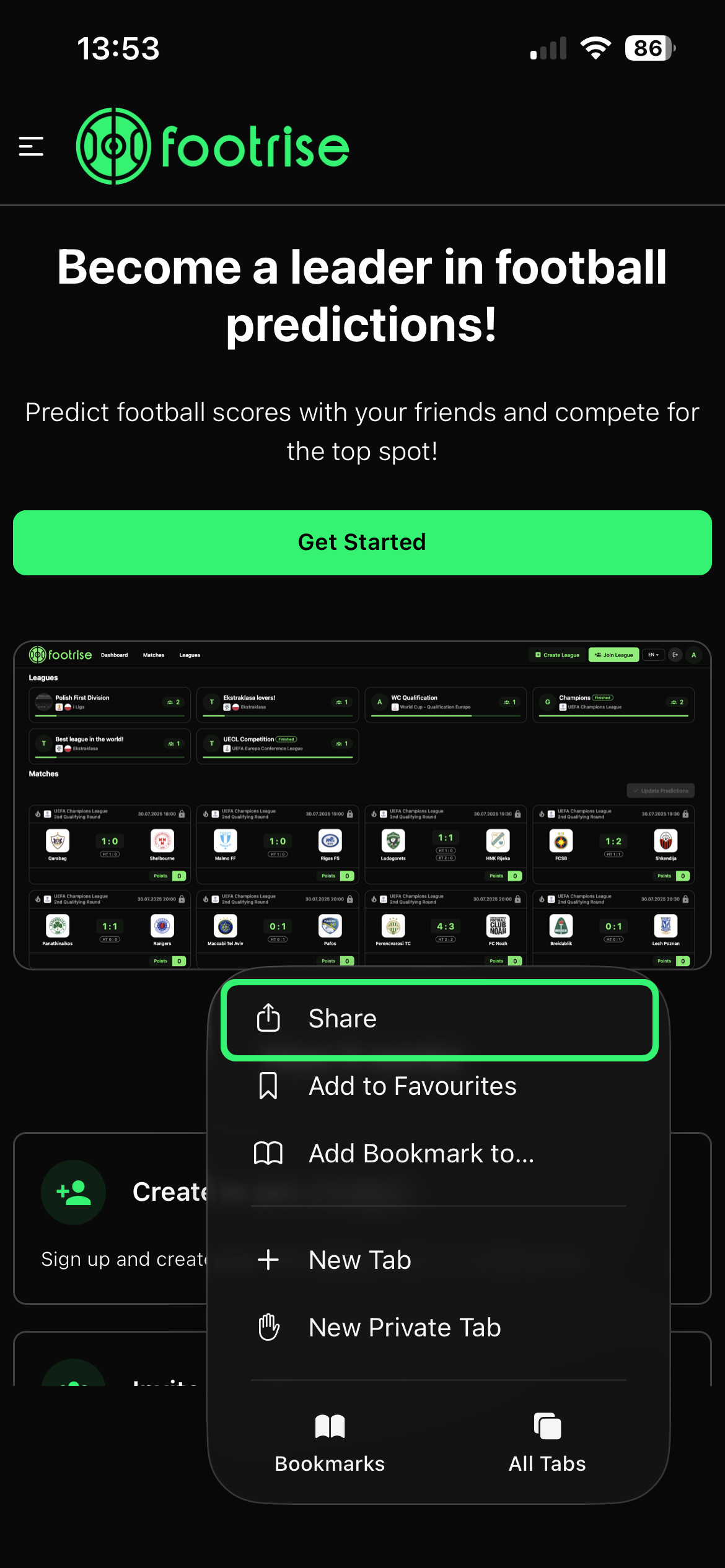
Tap Share
2Tap Share

Use the share icon in Safari's bottom bar.
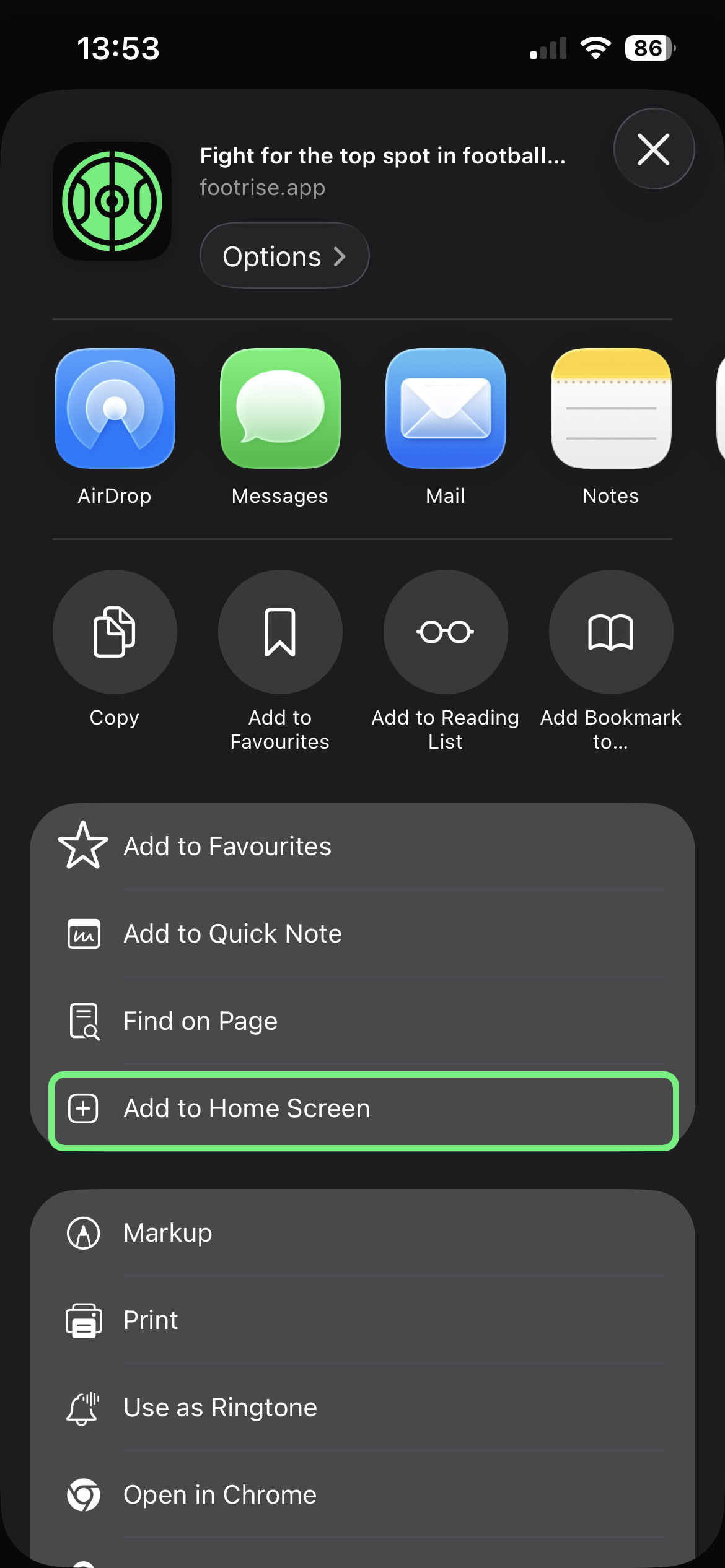
Add to screen
3Add to screen

Choose the option to add Footrise to your home screen.
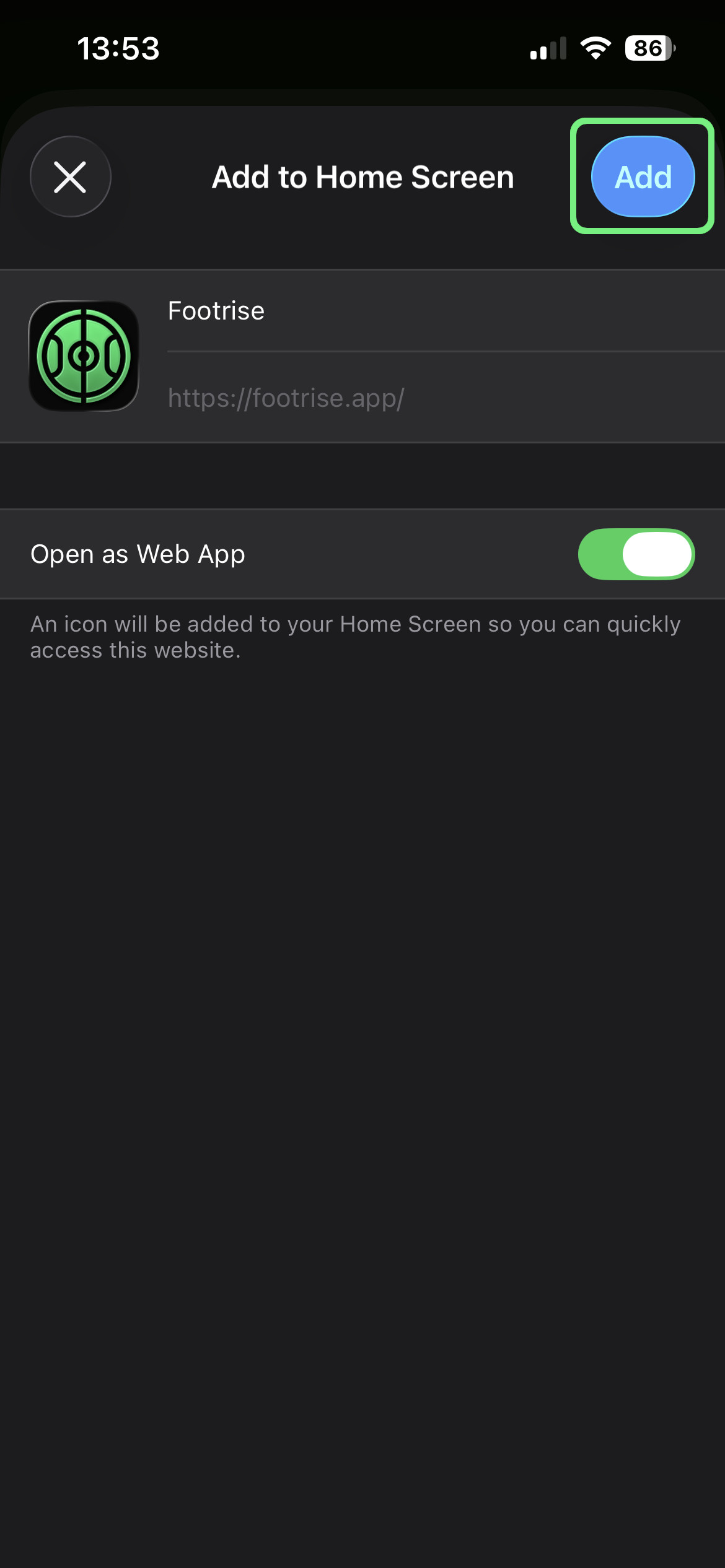
Done
4Done

Launch Footrise from the icon on your phone.
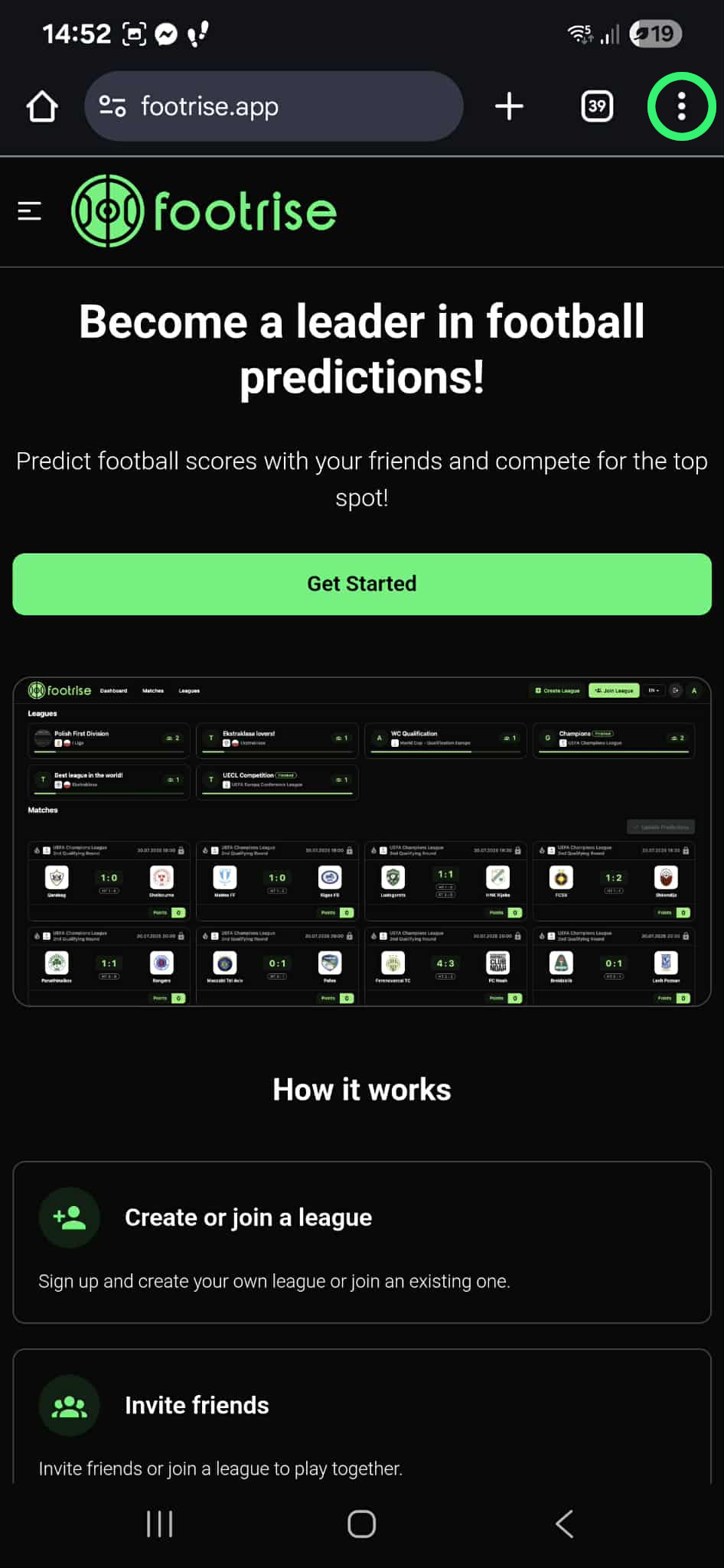
Add on Android

On Android, the easiest way is Chrome. After installation, Footrise will be available from your home screen.

Open Footrise
1Open Footrise

Go to the Footrise website in Chrome.

Choose install
2Choose install

Tap the install prompt or the option in the browser menu.

Done
3Done

Use Footrise like a mobile app.